

















Call us on FREEPHONE 0800 888 324

Glossary of Terms

We have written the information below to help people who are choosing to build and install their own CCTV system.     Building your own system is not a difficult task and by reading the information below you should be able to choose the equipment you need and have it up and running in no time.  If DIY is not your thing and you would like a professional on the job just let us know and we can point you towards an installer in your area.

Baluns

Balun is short for Balance/Unbalance.  Baluns allow a 75ohm video signal to be adapted to a copper pair (CAT5 etc)  and then reconverted at the remote end.  This allows video to be transmitted along much greater distances than a 75ohm signal will allow.  We also stock baluns which allow for DC pass through meaning you can also power the remote camera over the copper pair and also have 4 channel Baluns which allow for the transmission of four cameras over one CAT5 cable.

Cabling

Most security cameras require a coax cable for the transmission of the video from the camera to the recorder/monitor (unless a Balun is used, see below).  RG59 is a preferred option but RG6 and other grades are also absolutely fine.  Power is carried to the camera via a pair of copper wires.  Viewtech Ltd stock pre-made cabling which has coax and power cabling incorporated into the one lead.

CMOS vs CCD

This is a common question that we always get asked.   What is the difference between a CCD camera and a CMOS camera?

First of all CMOS and CCD are the image pickup method.  CCD means charged-coupled device.   This is a light sensitive silicon chip that produces an electrical signal.  CMOS means complementary metal oxide semiconductor. These chips are more of a one stop shop and not only convert the light to electricity but also take care of lots of the processing and delivering of the image.  This makes them more susceptible to noise and colour loss.   CCD security cameras produce a clearer image and better colour reproduction.

Dome Cameras

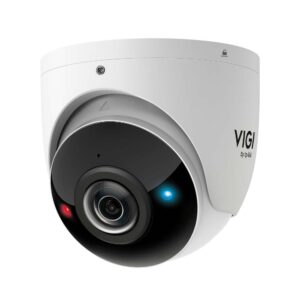
Dome cameras typically are inside a dome which is tinted.   Viewtech stocks a large range of dome cameras to suit all budgets.  These range from set focal non IR cameras right through to high end varifocal out door vandal resistant models. Dome cameras are easy to mount on either the wall or ceiling and generally look quite tidy and are popular in bars and stores.

DVRs

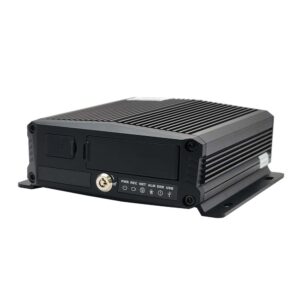
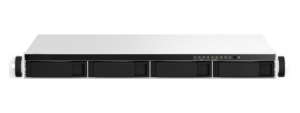
A DVR is a digital video recorder.   DVRs enable one or more cameras to be recorded at the same time.   They can normally be set to record motion only, record all the time or record on a set schedule.  Some are stand alone and others simply enable your computer to record your cameras.   Stand alone DVRs look kind of like a VCR and record cameras straight to a hard drive which gets installed inside.   Some have full TCP/IP networking capabilities and can connect to a router or switch. This enables the DVR to be accessed across LANs and even the internet from anywhere in the world.   Viewtech stocks a wide range of DVRs from entry level models, portable handheld DVRs and high end high performance and embedded Linux based systems.   When choosing a DVR make sure you future proof yourself. You may only need a 4 channel model now but what if you want to add another two cameras down the track?     

Full Bodied Cameras

These cameras are the ones you first think of when someone says security camera. They are normally high quality, have industrial type look and have a large lens sticking out the front.    They have many user settings and allow users to select the lens to best suit the task at hand.

Infrared Cameras

Infrared cameras allow you to still see within a reasonable distance when light levels drop below what the camera would normally see.    They consist of an Infrared LED array which illuminates the immediate area with infrared light.  Security camera image sensors are able to pickup the light with great brightness resulting in a clear black & white picture in pitch black conditions.   The lit area cannot be seen by a naked human eye but if you looks straight at the camera a faint red light is normally emitted.  Illumination distance is dependant on the size of the LED, the amount of LEDs and the power output of the LED.   We simply give our IR cameras a distance rating in meters.   

Ip Cameras 

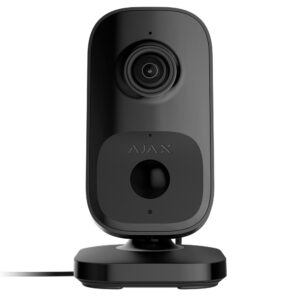
Short for Internet Protocal cameras, these cameras digitally stream video over an ethernet network rather than by analogue over a coaxial cable.   They consist of a camera and server in the one unit, this means they can be addressed just like any other ethernet device connected to the network.   Once connected to a network IP cameras have no physical bounds and as long as the network is setup correctly they can be accessed from any computer from anywhere in the world.    IP cameras can also be a much higher resolution than a standard analogue camera, a 2MP IP camera will provide frames approximatley 5 times higher in resolution than a D1 analogue camera.  Of course this means that more recording processing power is also required which increases recording and data storage costs.

Lenses

When selecting a lens for a camera first of all you need to determine how far you need to see.   A 4mm lens will give roughly 70 degrees viewing angle or reproduce a persons face in reasonable detail at 10 meters.  An 8mm lens halves the viewing angle and increases the viewing distance theoretically giving a distance of 20 meters for the same detail.

If a camera has a varifocal lens this means that the viewing angle can be changed by the user normally when setting up but sometimes remotely as well.   A lens can also be auto irising meaning that it can mechanically control the right amount of light hitting the image sensor by adjusting the aperature. 

All security cameras that we sell also have electronic irising which means they can adjust for lighting conditions using internal circuitry.  These however have a narrower dynamic light level range than a proper DC driven auto irising lens.

Many of our cameras lenses cannot be changed and are preset however our full bodied cameras can all accept interchangeable lenses.

Lux Rating

Lux is the measure of light a camera needs to reproduce an image.  Under the specifications of all of our cameras you will see a lux rating.  This is the minimum amount of light required to product a picture.  If you want to be able to see clearly under low light the smaller this value needs to be.    For example an infrared aided camera is normally given a rating of 0Lux because it can see in 100% darkness.  A camera rated to 1 Lux will start loosing clarity around mid sunset.   This is one of the most important values to consider when choosing a camera because it will determine how much you will be able to see. 

B & W cameras generally are able to see better in low light than colour cameras.

Some examples of lux ratings.

Office area: 500-1000 lux

Factories: 75-300 lux

Outdoor daytime: 10,000-1,000,000 lux

Twilight: 1-10 lux

Network Cameras

Network cameras provide a full video stream directly to a remote computer but without the need for a host computer at their end.  They have their own onboard processor, ram and software which allows them to be connected straight to a router.  They are normally assigned a static IP address or can even be set to DHCP and the video stream can normally be accessed from any browser connected to the internet or via client software which can be installed on the remote computer.    These are a very versatile way to remote record and view security cameras. 

Resolution

Security cameras are still given a resolution rating in an older term called TVL. The value referred to here is the horizontal resolution in TV lines.   This is the ability of the camera to reproduce the image.  The greater the resolution value the clearer and more detailed the image.   Our cameras range from 380TVL through to 550TVL.  Where possible we have also listed the digital equivalent resolution in pixel format ie. 640 x 480.

WDR Cameras

WDR stands for Wide Dynamic Range. This refers to the dynamic range of light that the camera can cope with and accurately display.  WDR cameras can handle very dark and very light areas on the same screen at once.  For example a shop entry way where customers are entering may be very bright due to the sun light outside there fore the persons face will look dark as it will be in the shade on a standard camera.  A WDR camera uses clever electronics to enable the persons face to still look correctly exposed despite the bright light behind them and it will also equal out the light behind them as well enabing further detail.  Other areas where this is required is on service station forecourts. 

Wireless Cameras

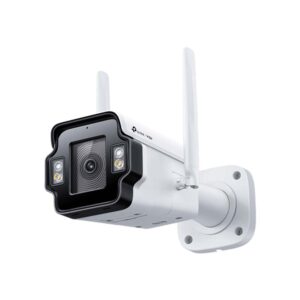
Wireless cameras enable the video signal to be transmitted wirelessly to a receiving unit. The receiving unit can then be connected to a DVR for recording or TV for viewing.  These are great for home use and let you keep track of what is going on around your property.  A common question is "Why does the wireless camera that I have purchased have a wire on it?"  This is normally the power lead - yes wireless cameras still require a power source!  This can either be supplied by mains power via the normally included power adaptor or a battery.    We stock cameras with transmitters built in or we can add a transmitter to any of our wired cameras.   We advise wireless systems for home use and advise wired where ever possible.  Wireless systems are not secure and could be accessed by anyone.

Quad Video Processor

This is a small box which enables four security cameras to be displayed onto one monitor. This effectively gives each camera one quarter of the screen enabling the user to see all four cameras at once and enabling a single VCR to record all four cameras.  These are less popular these days as DVRs have replaced them and have the added bonus of recording as well however they are still great for specific applications.